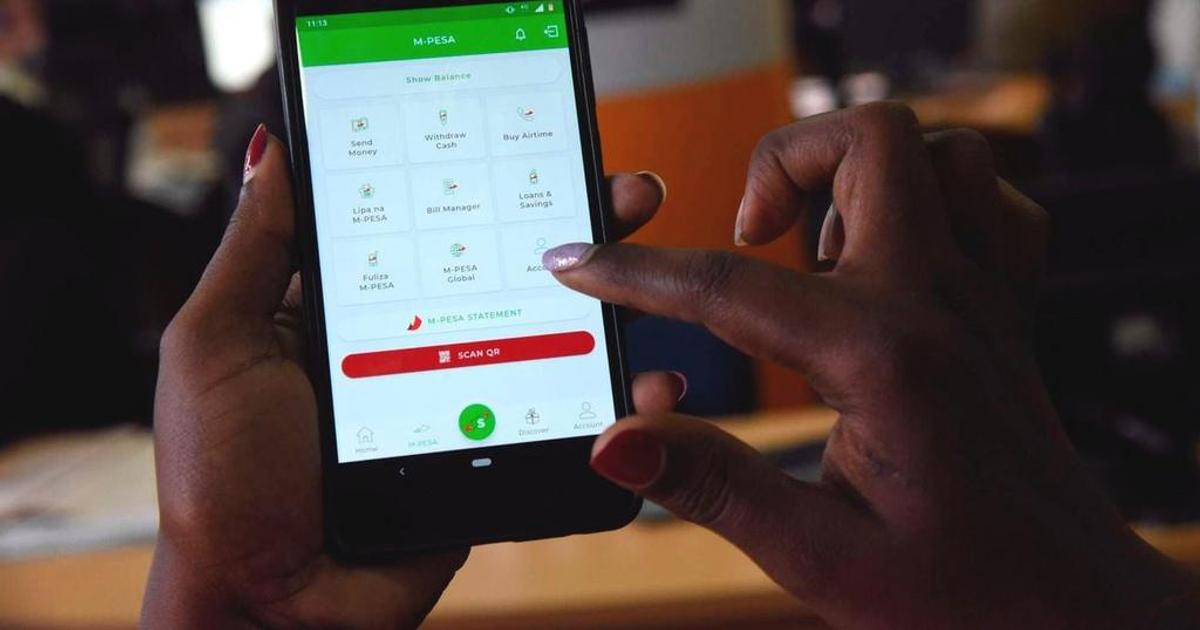
If your business is currently taking customer payments on your personal M-Pesa number, you are not alone. Most Kenyan small businesses start that way.
But mixing personal and business money on one line creates problems that compound as your business grows: you cannot see actual profit, staff cannot take payments without your phone, customers cannot verify they are paying the right business, and your transaction history reads as personal income rather than business revenue when lenders or KRA look at it.
Switching to a Business Till number does not mean abandoning your personal M-Pesa line. You keep the same SIM. You add a Till number that sits alongside it and captures all business payments separately. Here is exactly how to do it.
What Changes When You Switch to a Till Number
Your personal M-Pesa line remains fully functional after you register a Till. Nothing about your existing number, balance, contacts, or personal transaction history changes.
What you gain is a separate business wallet under a five or six-digit code that carries your registered business name.
When a customer pays your Till, your business name appears on their phone screen before they confirm payment.
That confirmation builds trust and removes the ambiguity of customers sending money to an unnamed personal number.
Payments to your Till go into a business merchant wallet rather than your personal M-Pesa.
You can withdraw from it, transfer to your bank account, or add staff as operators so they can manage payments without access to your personal funds.
Your personal M-Pesa and your business Till are separate accounts on the same SIM, each with its own balance, its own transaction history, and its own purpose.
What You Need Before You Apply
The documents required depend on your business structure.
For sole proprietors:
- Valid National ID, Passport, or government-issued identification
- KRA PIN certificate
- Single Business Permit or Certificate of Registration from your county government
- A Safaricom SIM card registered in your name
For registered companies:
- Valid ID or passport for the business owner or authorised signatory
- KRA PIN certificate for both the company and the directors
- Certificate of Incorporation or Certificate of Registration
- Valid Single Business Permit
- A Safaricom SIM card in your name
Before you begin, check that the name on your national ID, your KRA PIN certificate, and your business permit all match exactly.
A name mismatch across these three documents is the most common reason Till applications are delayed or rejected.
If your ID reads one version of your name and your KRA PIN reads another, resolve that at the KRA portal or a Huduma Centre before applying.
How to Apply: Three Routes
Route 1: M-Pesa Business App (Recommended for Smartphone Users)
Download the M-Pesa Business app from the Google Play Store or Apple App Store.
Create an account using your Safaricom number, select M-Pesa Business Till (Buy Goods), choose your business type (Individual, Sole Proprietorship, or LLC), upload clear photos of your documents, and submit.
Safaricom will SMS a till number and store number to your registered line once approved. Sole traders with clean documents can complete this in minutes and receive approval within one to two days.
*Route 2: USSD via 234# (Works on Any Phone)
Dial *234# from your Safaricom line, select the M-Pesa Business or Lipa Na M-Pesa registration option, and follow the prompts.
This route suits traders without smartphones or those who prefer not to upload documents digitally. You may be directed to a Safaricom shop for document verification depending on your business type.
READ ALSO :How to Apply for a PayBill Number in Kenya: Step-by-Step Guide
Route 3: Safaricom Shop
Take your original documents (ID, KRA PIN, and business permit or certificate of registration) to any Safaricom shop.
An agent will handle the application on the spot, verify documents immediately, and complete the setup.
This route takes slightly longer than the app but is the smoothest option for company registrations where document review is more involved.
Activating Your Till Once Approved
After approval, Safaricom sends your till number and store number by SMS to your registered line.
To activate, dial *234#, select M-Pesa Business Till, enter the store number from the SMS, and accept the terms and conditions.
You will receive an operator ID and a start-key PIN that you change on first use. Once that is done, your Till is live and can receive payments immediately.
Log in to the M-Pesa Business portal at pay.safaricom.co.ke or open the M-Pesa Business App to access your business dashboard, view transaction history, generate statements, and manage settings.
Communicating the Change to Your Customers
Once your Till is live, you need to update every channel where customers currently find your payment details.
This is the practical step most guides skip, and it is the one that determines how smoothly the transition actually runs.
Update your WhatsApp Business profile, Facebook and Instagram bios, your Google Business profile if you have one, any printed menus or price lists, the payment instructions you send on invoices, and any banners or till displays at your physical premises.
Customers who have saved your personal number as a payment contact will need to know to use the Till code instead.
A simple message to your regular customer group explaining the change, with your Till number clearly stated, handles most of the migration without confusion.
For a transition period of two to four weeks, you may choose to accept payments on both your personal line and the new Till while customers adjust.
After that period, direct all payment requests to the Till exclusively. Mixing both indefinitely defeats the purpose of separating business and personal money.
Adding Staff as Operators
One of the immediate practical benefits of a Till over a personal line is the ability to add staff as operators.
Through the M-Pesa Business App or portal, you can add employees who can accept payments on the Till without access to your personal M-Pesa or the full business account.
Each operator gets their own credentials and their transactions appear in the business dashboard with their operator ID attached.
This means a shop attendant, a cashier, or a delivery rider can take payments independently while you see every transaction in real time from the business dashboard.
The salon owner who previously had to share her personal phone every time a stylist took a payment is the clearest example of what this changes in practice: the business runs without depending on the owner’s physical presence for every transaction.
Building a Usable Financial Record
The shift from personal to Till is also the moment your business starts generating a financial record that is actually useful.
M-Pesa statement data from a personal line is legally ambiguous as business income, difficult to separate from personal transactions, and not accepted by most lenders as business revenue evidence.
A Business Till statement, by contrast, shows only business transactions, carries your business name and KRA PIN, and is accepted by KCB, Equity, Absa, several SACCOs, and fintech lenders as evidence of business turnover when assessing loan applications.
Consistent Till transaction history, built over six to twelve months, is what turns an informal business into a creditworthy enterprise in Kenya’s financial system.
All features, fees, and portal details should be verified at safaricom.co.ke or m-pesaforbusiness.co.ke before applying. Requirements are subject to change.


Leave a Reply