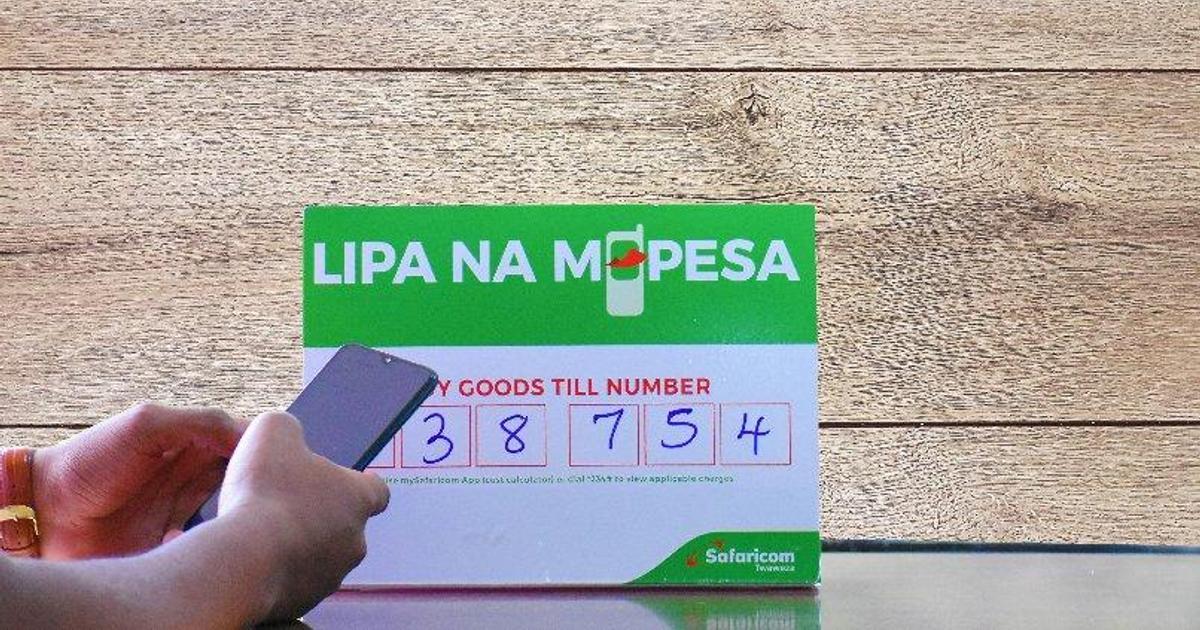
A Safaricom Till Number, officially called a Buy Goods number under the Lipa Na M-Pesa service, lets customers pay your business directly from their M-Pesa account without sending money to a personal number.
Registration is free, can be completed in minutes through the M-Pesa Business app or online portal, and approval typically arrives within one to two days. Here is exactly what you need, what it costs, and how long it takes.
What Is a Till Number and Who Should Get One?
A Safaricom Till Number is a unique five or six-digit identifier that customers select under the Buy Goods option in their M-Pesa menu.
Payments go directly into an M-Pesa merchant wallet linked to your business rather than into a personal M-Pesa wallet.
The distinction matters for three reasons: it keeps business and personal money separate from the first transaction, it gives you a professional payment identity that customers recognise as a legitimate business, and Till number transactions are exempt from the 20% excise duty that applies to regular M-Pesa person-to-person transfers.
Till numbers are suitable for any business that receives customer payments in person or wants a simple, recognisable payment identity.
Market stalls, restaurants, salons, shops, churches, chamas, and professional service providers all qualify. If your business needs funds settled directly into a bank account rather than an M-Pesa wallet, a Paybill number is the appropriate product instead.
Requirements: What Documents Do You Need?
The documents required to register a Safaricom Till Number depend on your business structure.
For individual or sole proprietors:
- Valid national ID, passport, or government-issued identification
- KRA PIN certificate
- A Safaricom SIM card registered in your name for notifications and account management
For registered companies and partnerships:
- Certificate of registration or business permit from the county government
- Valid ID for the business owner or authorised signatory
- KRA PIN certificate
- A cancelled cheque or bank letter confirming the business bank account details (for fund settlement purposes)
- A completed application form
For NGOs and organisations:
- Certificate of registration
- A letter from the NGO Board confirming registration and existence
- A filled, stamped resolution letter signed by the directors
A critical practical point: the names across your identification document, KRA PIN, and business permit must match exactly.
Name mismatches are the most common reason Till number applications stall or are rejected. Confirm alignment across all three documents before submitting.
How to Register: Three Routes
Route 1: M-Pesa Business App (Fastest for Individuals)
Download the M-Pesa Business app, create an account using your Safaricom number, select M-Pesa Business Till (Buy Goods), choose your business type (Individual, Sole Proprietorship, or LLC), upload the required documents, and submit.
READ ALSO:Till Number vs PayBill vs Pochi la Biashara: Which One Should Your Business Use in 2026?
Safaricom will send an SMS with your till number and store number to your registered line. Sole traders can complete this in minutes and go live the same day.
Route 2: Online Portal
Visit m-pesaforbusiness.co.ke, click Apply Now, select M-Pesa Business Till, choose your settlement option (owner’s M-Pesa wallet or bank account), complete the form, and upload supporting documents.
Once Safaricom approves and sends your store number by SMS, dial *234# on the registered SIM, choose M-Pesa Business Till, enter the store number, accept the terms, and you are live. You will receive an operator ID and a start-key PIN, which you change on first use.
Route 3: Safaricom Shop
Visit any Safaricom shop or authorised dealer with your physical documents. A Safaricom agent will handle the organisation setup and verify documents on the spot. This route is recommended for companies and organisations where document verification is more involved. It takes slightly longer than the digital routes but reduces the risk of document issues causing delays.
Cost: What Does a Till Number Actually Cost?
Registering a Till number is free. Safaricom charges no setup fee and no monthly fee for maintaining the till.
The ongoing cost sits on the withdrawal or settlement side. Safaricom applies a tariff when you transfer funds from your merchant till wallet to your bank account or personal M-Pesa.
For collections, Safaricom charges a 0.5% transaction fee capped at KSh 200 per transaction. Collections below KSh 200 are free.
Because the excise duty that applies to regular M-Pesa transfers does not apply to Buy Goods till transactions, the effective cost for customers paying through a till number is lower than sending money person-to-person.
Always verify the current Buy Goods tariff directly with Safaricom before making business decisions based on fee projections, as tariff bands are revised periodically.
Timeline: How Long Does Approval Take?
For individuals applying through the app or online portal with clean documents, approval typically arrives within one to two business days. In many cases, sole traders complete the process and go live the same day.
Company and organisation applications reviewed at a Safaricom shop may take slightly longer depending on document verification, but most approvals are completed within two to three business days.
If your application stalls, the most common cause is a name mismatch across your ID, KRA PIN, and business permit. Correcting that mismatch and resubmitting resolves most cases without further delay.
What Happens After You Go Live?
Once live, your till number can receive payments from any M-Pesa user in Kenya. You can add staff operators through the M-Pesa Business app, set permissions for each operator, and view transaction reports in real time.
The merchant wallet accumulates incoming payments until you initiate a settlement transfer to your linked bank account or personal M-Pesa.
For businesses that process high volumes or want to automate collection and reconciliation, the Daraja API developed by Safaricom allows developers to integrate M-Pesa Buy Goods functionality directly into websites, apps, and business systems.
The till number remains the customer-facing identifier, while Daraja handles the backend transaction processing.
A Safaricom Till Number is one of the lowest-friction ways for a Kenyan business to start collecting digital payments.
It costs nothing to set up, is free for customers to use, keeps your business finances separate from day one, and is available to businesses of every size across every sector.
Tariff and fee information should be verified at safaricom.co.ke or the M-Pesa for Business portal before any transaction. Fees and requirements are subject to change.


Leave a Reply